Self-hosted music player
A music player with loudness meters and file analysis.
Magnetite is a self-hosted player for your own music collection. Its meters show loudness (LUFS), true peak and phase. It analyses your files and flags the ones that are clipped, probably upsampled or from a lossy source.
Demo tracks
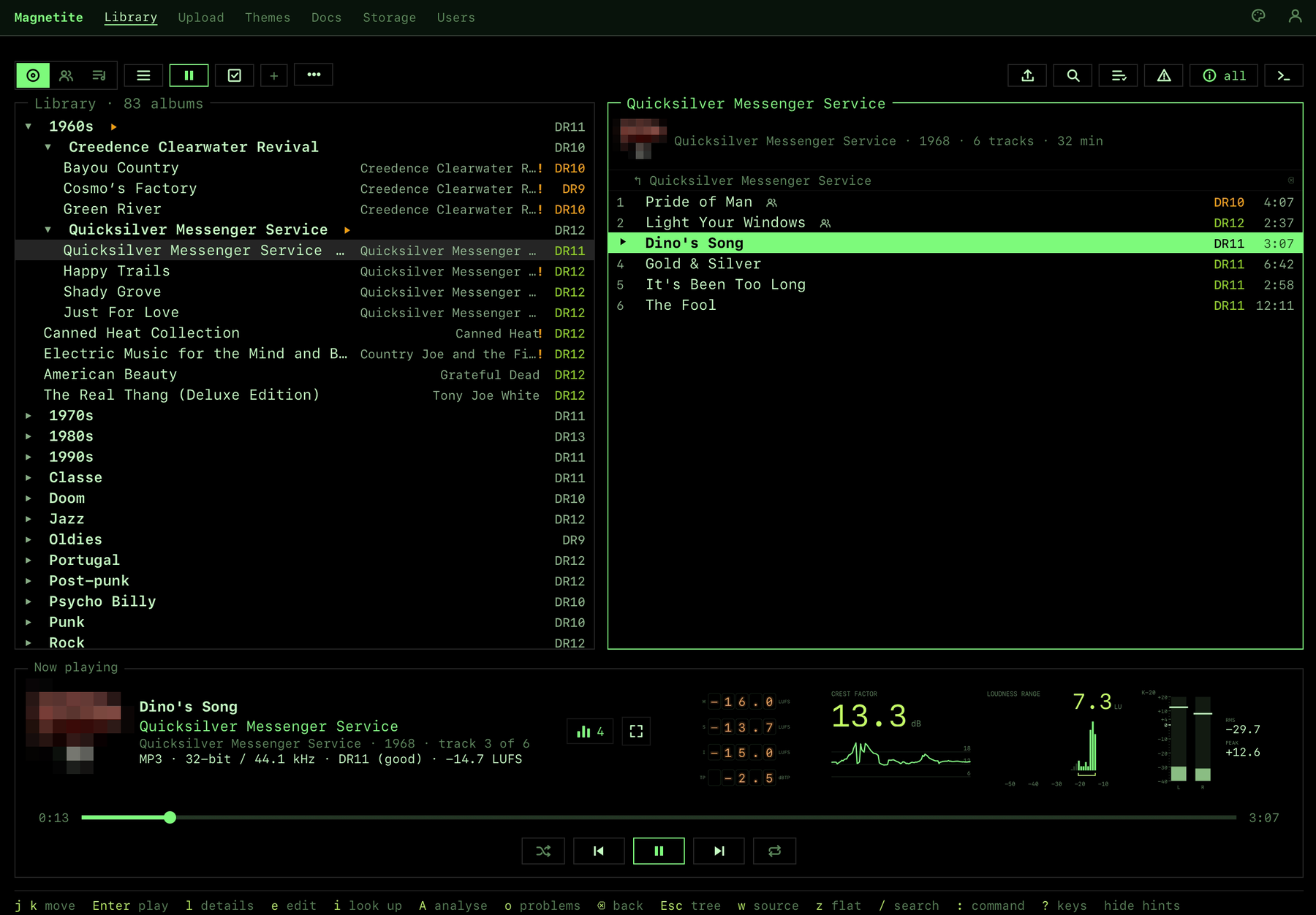
6 excerpts of free music (all CC0), from a quiet piano recording with wide dynamics to a heavily limited master. Change the theme and the meters while a track plays, and compare the numbers on the right: they come from the file analysis.
-
Aria (Goldberg Variations) · Kimiko IshizakaSolo piano, very quiet and wide dynamics.
-
Variatio 16 (Ouverture) · Kimiko IshizakaLivelier piano, a little louder.
-
The Budding of Consciousness · YoiyamiAmbient piano and pads: slow, soft meters.
-
The Way It Is · Zane LittleA middle case, moderately loud.
-
Achilles · Zane LittleLoud and compressed.
-
Xenon Phoenix · continuum.mid and BlooVery compressed: the example of a heavily limited master.
Each excerpt is about a minute long, with a short fade. The two Goldberg tracks are from the Open Goldberg Variations by Kimiko Ishizaka; the others are from OpenGameArt. All are CC0. The source of each is linked in the list.
Meters and posters
Every meter is drawn from the audio that is playing, frame by frame. A demo track is loaded in the player at the bottom: press play, then click a picture here to show that meter, and again to hide it. Up to four meters can show at once, next to the player or in full screen (F).
Meters ·
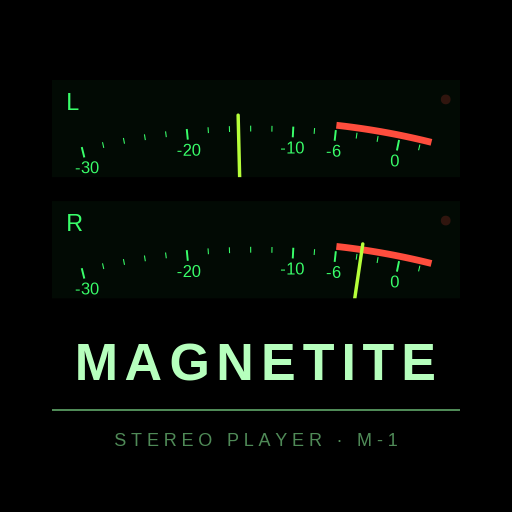
The needle, LED and magic-eye meters follow the level of the left and right channels. The scope draws the waveform, the third-octave analyser and the spectrogram show the frequencies, the goniometer shows the stereo image, and the loudness meter reads LUFS and true peak.
·
Posters are drawn like printed posters, with the artist, title and album of the playing track on them. Their shapes move with the music: in Arches, Fan and Pillars each shape is a frequency range that grows with its energy; in Lens the two discs are the two channels, and they overlap more as the channels become more alike; Halftone and Facets scroll like a spectrogram.
Full screen
F gives the meters the whole window. Up to four panels share it, and the controls hide after three seconds. Posters are upright, so two sit side by side.
File analysis
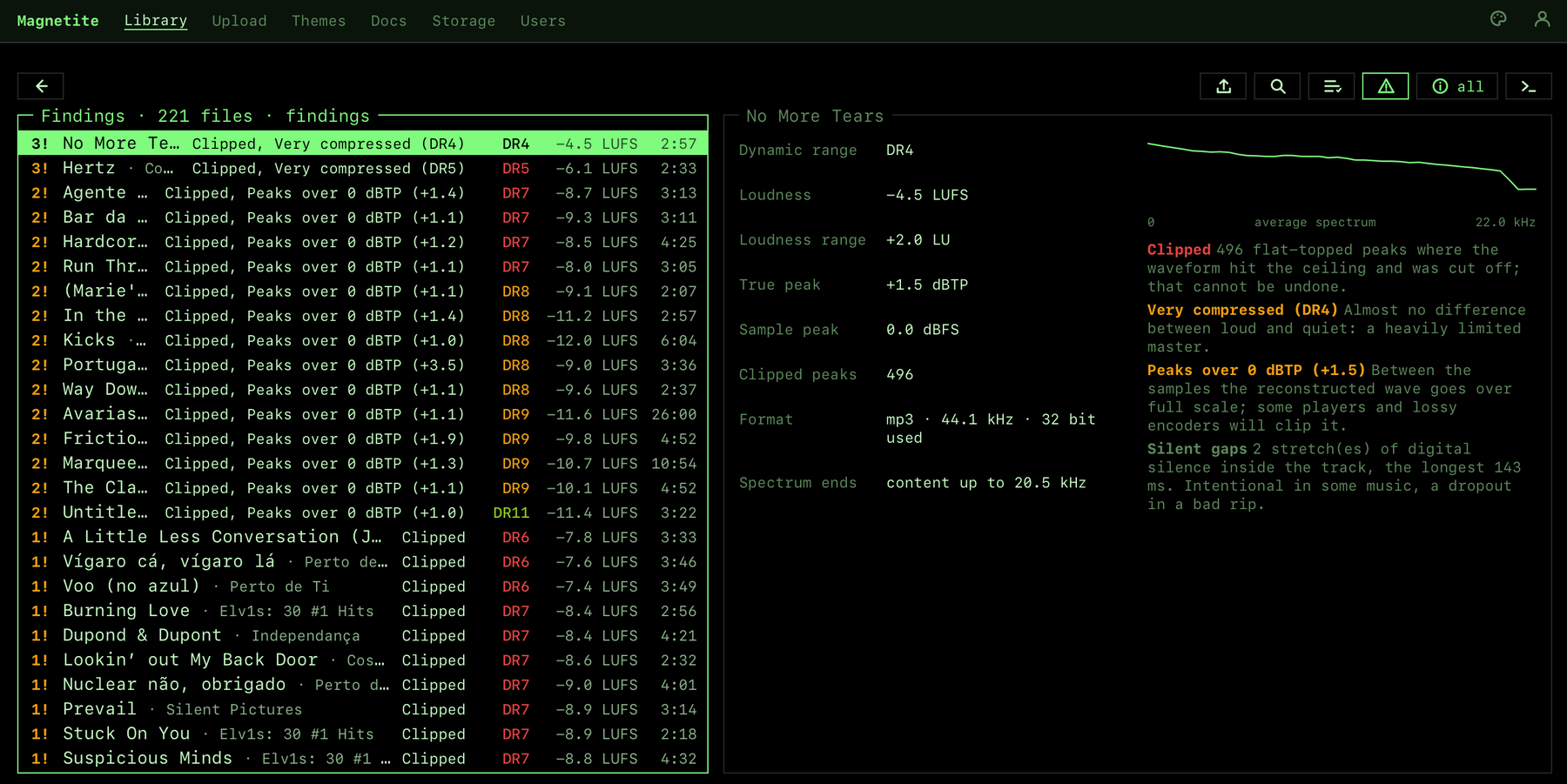
The analysis looks at the audio itself, not only the tags and the file format. Each file is decoded once and measured: dynamic range, loudness, true peak, clipped peaks and where the spectrum ends. From these it flags probable upsampling, probable lossy sources and other problems.
The findings view lists the files with a finding, worst first, and the findings of the selected file are on the right. The truth view lists every file. The analysis runs on the server as its own step, after a scan, and never changes the files.
Themes
Several themes are included. Click one to change the colours, the fonts and the corners of the whole page, the meters included. The choice is saved in this browser. A theme is a small JSON file with six colours, a corner radius and a font; the theme studio edits a copy and exports or imports it (the format is in the guide).
Library and playback
Two-pane library
Folders, albums and tracks in two panes, with a command line, an edit table and search with filters.
One library per person
Each account has its own library, folders and covers.
Untagged albums
Suggests names from the folder and file names, MusicBrainz and, with an AcoustID key, audio fingerprints. Only fingerprints are sent, never audio.
Playlists and sharing
Private playlists. Albums, tracks and playlists can be shared, play only.
Playback keeps going
Music goes on while moving between pages. After a reload the queue and position are restored, paused.
Storage in Ferrite
A library can live in Ferrite, a separate self-hosted file server, read through its API with a token limited to one folder.
Clients
The web app, a terminal client, an Android app and an iOS app all talk to the same server. They show the same library and the same list of meters. The posters are in the web app and the Android app, and the terminal client draws most of them; the iOS app has no posters.
Web
The library, the player and the theme studio in a browser. Everything has a key, a toolbar button, or both.
Terminal
Written in Rust. It decodes the audio itself, so the meters are computed from the decoded samples. It has the twelve plain meters, the file-truth table, search with filters, loudness matching and A/B compare. Build it from tui/.
Android
One app for phones, tablets and Android TV, with lock-screen controls, the twelve plain meters and the posters. A beta; the APK is below.
iOS
A SwiftUI app for iPhone and iPad with background playback and nine of the twelve plain meters. Build it from ios/; it is not in the App Store.
Download for Android
Works on phones, tablets and Android TV: library, folders, playlists, search, meters and lock-screen controls. Sign in with the address of the server.
Not on the Play Store: open the downloaded file and allow installs from the browser when Android asks. Play Protect may warn about an unknown developer; choose "Install anyway".
SHA-256 ae94fe6690c7057939925ad41ced79f559b4bbbe40c813400c2aa7caaf5007fd
Install and documentation
Magnetite runs in one Docker container, which is the easiest way to start, or directly with PHP 8.3 and Node. With Docker:
docker run -d --name magnetite -p 8080:8080 \
  -v magnetite-data:/data -v magnetite-music:/music \
  ghcr.io/zhoorta/magnetite
Open http://localhost:8080 and create your user in the browser. The two volumes keep the database and the music, so an update does not lose them. To use a folder that already has music, replace magnetite-music with its path. The image is built for amd64 and arm64.
The install page has the details
(a chosen password, a reverse proxy, updating), and the
documentation covers the library, the meters, the file analysis, themes, sharing and the clients.
The source is on GitHub (AGPL-3.0-or-later). The terminal client for macOS and Linux and the signed Android APK are on the releases page.